

Trading platform
MetaTrader 5, on every screen you use.






Interface
Everything you need in one workspace.
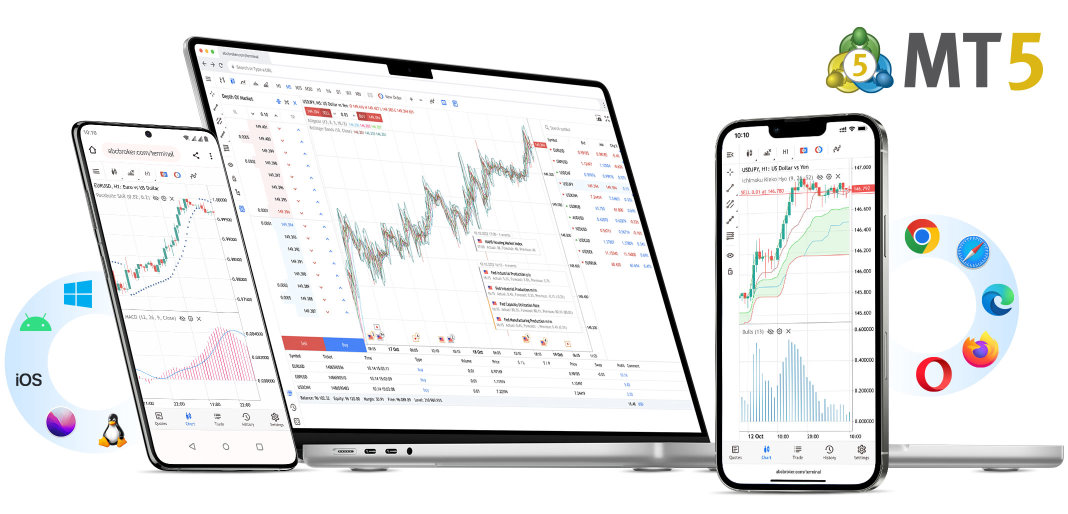
One terminal, every screen you use.
The WebTerminal runs in the browser, so no download is needed on a computer you do not own. Artwork is illustrative and is not connected to a live trading account.
- Available on
- Windows
- macOS
- Linux
- iOS
- Android
- Chrome
- Safari
- Edge
- Firefox
- Opera
Charting & indicators
Multiple timeframes, chart types, drawing tools and a large library of built-in technical indicators.
Market Watch
Monitor quotes for the instruments available on your account and open charts in a click.
Orders & trade management
Market and pending orders, stop-loss and take-profit, and partial closing.
Expert Advisors
Run automated strategies written in MQL5, where supported by your account.
Calendar & analysis
Built-in economic calendar and news tools to plan around events.
Device compatibility
Windows, macOS, modern web browsers, iOS and Android.
Installation
Get set up in minutes
- 01
Open and verify your account
Receive your MT5 login credentials after approval.
- 02
Install or launch MT5
Download MetaTrader 5 for Windows, macOS, iOS or Android.
- 03
Log in to the server
Search for the QMM Capitals server and enter your credentials.
Is MetaTrader 5 free?
The platform is free to download. Trading costs depend on your account type.
Can I use Expert Advisors?
Automated trading is supported on MT5 where permitted by your account conditions.
Can I use MT5 on a Mac?
Yes — MetaTrader 5 is available for macOS.
Is the preview on this page a live terminal?
No. All visuals on this page are illustrations and are not connected to market data.